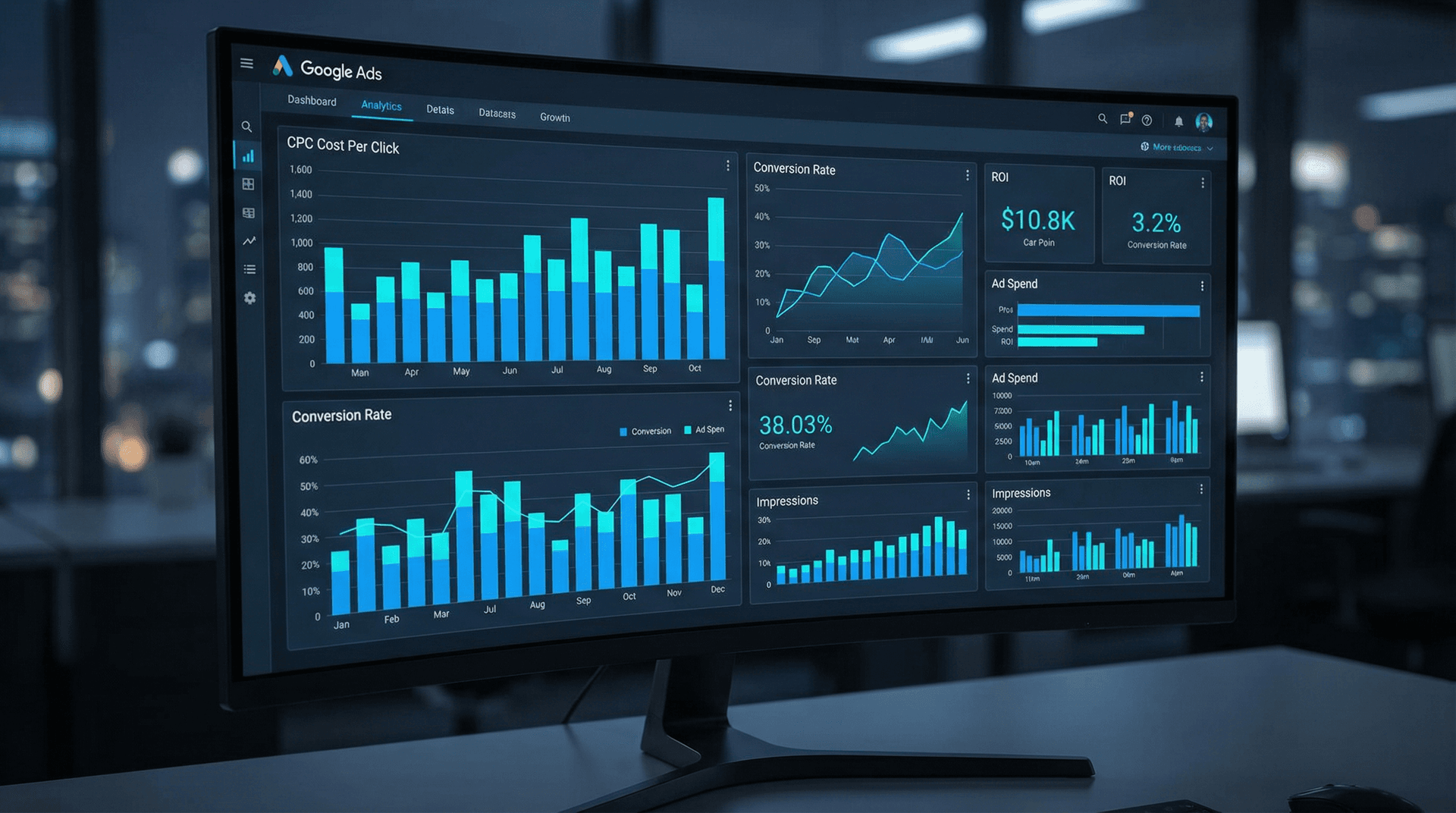
In the competitive landscape of digital advertising, managing your budget effectively is paramount to achieving a positive return on investment. For businesses leveraging Google Ads, one of the most persistent challenges is controlling Cost-Per-Click (CPC). High CPCs can quickly erode profit margins, making it difficult to scale successful campaigns. At CleverBoss, we understand that every dollar counts. Our team of paid search experts consistently implements battle-tested strategies to reduce CPCs without sacrificing valuable conversion volume. This comprehensive guide will unveil seven proven tactics that can help you optimize your Google Ads spend, drive more efficient traffic, and ultimately improve your campaign profitability. From refining your keyword strategy to mastering ad copy and landing page optimization, these insights are designed to empower you with actionable steps to reclaim control over your advertising budget.
Understanding Cost-Per-Click (CPC) and Its Impact
Before diving into optimization strategies, it's crucial to grasp the fundamental mechanics of CPC within the Google Ads ecosystem. Your CPC is determined by several factors, primarily your Ad Rank and your competitors' Ad Ranks. Google calculates Ad Rank using a combination of your bid, the quality of your ads and landing page (Quality Score), the context of the user's search, and the expected impact of your ad extensions and other ad formats. A higher Ad Rank generally means a better ad position. However, it doesn't necessarily mean a higher CPC if your Quality Score is excellent.
The formula for your actual CPC is often simplified as: (Ad Rank of the competitor below you / Your Quality Score) + $0.01. This highlights the critical role Quality Score plays. A higher Quality Score means you can achieve a better ad position at a lower bid, thereby reducing your CPC. Conversely, a low Quality Score forces you to bid higher to compete, driving up your costs.
The impact of high CPCs extends beyond just ad spend. Elevated costs per click can:
- Reduce Profit Margins: If your Cost-Per-Acquisition (CPA) is too high due to expensive clicks, your campaigns may become unprofitable.
- Limit Scalability: High CPCs restrict the volume of traffic you can afford to drive, hindering your ability to scale successful campaigns and reach a broader audience.
- Distort Performance Metrics: It can be challenging to accurately assess the true value of keywords or ad groups if the cost of acquiring a click is disproportionately high compared to its conversion potential.
- Exhaust Budget Faster: A limited budget will be consumed more quickly with high CPCs, potentially causing your ads to stop showing prematurely and missing out on valuable clicks.
Our goal at CleverBoss is to optimize these underlying factors to ensure your budget works harder for you. By focusing on the strategies outlined below, you can systematically lower your CPCs while maintaining or even improving your conversion rates.
Strategy 1: Elevate Your Quality Score
Quality Score is the bedrock of efficient Google Ads performance. It's Google's rating of the quality and relevance of your keywords, ads, and landing pages. A higher Quality Score (on a scale of 1-10) directly translates to lower CPCs and better ad positions. Our data consistently shows that advertisers with a Quality Score of 7 or higher often pay 20-30% less per click than those with scores below 5 for the same ad position.
Key Components of Quality Score:
- Expected Click-Through Rate (CTR): This is Google's prediction of how likely your ad is to be clicked when shown for a particular keyword. High CTR indicates relevance.
- Ad Relevance: How closely your ad copy matches the intent behind the user's search query.
- Landing Page Experience: The relevance, transparency, and navigability of your landing page for users who click your ad.
Actionable Steps to Improve Quality Score:
- Refine Keyword-Ad Group Alignment: Ensure each ad group contains a tightly themed set of keywords that are highly relevant to the ad copy within that group. Avoid broad ad groups with disparate keywords.
- Craft Highly Relevant Ad Copy: Your ad headlines and descriptions should directly incorporate the keywords from the ad group and address the user's search intent. Use dynamic keyword insertion where appropriate, but with caution.
- Optimize Landing Page Experience: Your landing page must be fast-loading, mobile-friendly, and provide content directly relevant to the ad and keyword. The call-to-action should be clear, and the user experience intuitive. For deeper insights, explore our guide on 10 Landing Page Elements That Dramatically Increase Conversions.
- Utilize Ad Extensions: Implement all relevant ad extensions (sitelinks, callouts, structured snippets, call extensions, etc.). These not only improve ad visibility and CTR but also contribute positively to Quality Score.
- Pause Low Quality Score Keywords: Regularly review keywords with consistently low Quality Scores (3 or below) and either pause them, move them to more relevant ad groups, or significantly improve their associated ads and landing pages.
Strategy 2: Master Negative Keyword Implementation
One of the most effective yet often underutilized strategies for reducing wasted ad spend and lowering CPCs is the meticulous application of negative keywords. Negative keywords prevent your ads from showing for irrelevant searches, ensuring that your budget is spent only on prospects genuinely interested in your offerings. Our internal audits reveal that campaigns without robust negative keyword lists often waste 15-25% of their budget on irrelevant clicks.
How Negative Keywords Reduce CPC:
- Increased Ad Relevance: By filtering out irrelevant searches, your ads are shown to a more qualified audience, leading to higher CTRs and improved Quality Scores.
- Reduced Irrelevant Clicks: Fewer clicks from users who aren't going to convert means your budget is conserved for valuable traffic.
- Improved Conversion Rates: Focusing on relevant traffic naturally leads to better conversion rates, which in turn can signal to Google that your ads are highly effective, potentially influencing your Ad Rank positively.
Actionable Steps for Negative Keyword Implementation:
- Start with a Baseline List: Develop a foundational list of common irrelevant terms for your industry (e.g., "free," "cheap," "jobs," "reviews" if you're selling premium services).
- Regular Search Term Report Analysis: This is critical. Daily or weekly, review your Search Term Report in Google Ads. Identify queries that generated clicks but are clearly irrelevant to your business. Add these as negative keywords.
- Utilize Different Match Types: Just like positive keywords, negative keywords can use broad, phrase, or exact match types. Use negative exact match for very specific irrelevant terms, and negative phrase match for sequences of words.
- Campaign and Ad Group Level Negatives: Apply negative keywords at the campaign level for broad exclusions across all ad groups. Use ad group level negatives for more specific exclusions that might be relevant in one ad group but not another.
- Competitor Negatives: If you're running brand campaigns, consider adding competitor brand names as negative keywords to your generic campaigns to prevent your ads from showing for competitor searches and driving up your CPC.
Strategy 3: Optimize Keyword Match Types and Bidding Strategies
The choice of keyword match types and your bidding strategy directly influences how much you pay per click and the relevance of the traffic you attract. A common mistake is relying too heavily on broad match keywords without proper safeguards, leading to high CPCs from irrelevant searches.
Strategic Keyword Match Type Usage:
- Exact Match: [your keyword]. These are the most restrictive and typically generate the highest Quality Scores and lowest CPCs because of their precise relevance. Use them for your highest-value, highest-intent keywords.
- Phrase Match: "your keyword". More flexible than exact, allowing for words before or after the phrase. Offers a good balance of relevance and reach.
- Broad Match Modifier (BMM) / Broad Match: +your +keyword (BMM, being phased out) or your keyword (Broad Match). Broad match is the most expansive and can generate a lot of traffic, but it requires diligent negative keyword management to prevent irrelevant clicks. While BMM is being deprecated, understanding its former role helps in transitioning to optimized broad match usage with smart bidding.
- Smart Bidding Strategies: Google's automated bidding strategies, especially those focused on conversions like Target CPA or Maximize Conversions, can dynamically adjust bids to achieve your goals more efficiently. These algorithms leverage vast amounts of data to predict conversion likelihood, potentially lowering CPCs for less valuable clicks while increasing bids for high-potential ones. For an in-depth look at this, refer to The Complete Guide to Google Ads Smart Bidding in 2026.
Actionable Steps for Match Type and Bidding Optimization:
- Start with Exact and Phrase: For new campaigns, begin with exact and phrase match keywords to establish a baseline of highly relevant, cost-effective traffic.
- Gradually Introduce Broad Match (with caution): Once you have a robust negative keyword list and a clear understanding of your audience, you can strategically introduce broad match keywords, especially when paired with a conversion-focused smart bidding strategy. Monitor the Search Term Report rigorously.
- Implement Portfolio Bidding: For campaigns with shared goals, consider portfolio bidding strategies to optimize performance across multiple campaigns.
- Adjust Bids by Device, Location, and Audience: Use bid adjustments to increase or decrease bids based on performance metrics for specific devices, geographic locations, or audience segments. If mobile users convert poorly, a negative bid adjustment can reduce wasted clicks.
- Test Enhanced CPC (ECPC): If you're using manual bidding, ECPC can help you get more conversions by automatically adjusting your manual bids for clicks that seem more likely to lead to a sale or lead.
Strategy 4: Optimize Ad Copy and Ad Extensions for Higher CTR
Your ad copy is your first impression. Compelling, relevant ad copy, combined with strategic use of ad extensions, can significantly boost your Click-Through Rate (CTR). A higher CTR signals to Google that your ad is highly relevant, which positively impacts your Quality Score and can lead to lower CPCs.
The Link Between CTR and CPC:
Google rewards ads that are highly relevant to user queries and generate clicks. A higher expected CTR is a primary component of Quality Score. If your ad is clicked more often than competitors' ads for the same query, Google views it as more valuable, potentially allowing you to pay less per click for the same ad position.
Actionable Steps for Ad Copy and Extension Optimization:
- Mirror Keyword Intent: Ensure your ad copy directly addresses the user's search intent. If someone searches for "emergency plumber," your ad should prominently feature "emergency plumber" and highlight rapid response.
- Highlight Unique Selling Propositions (USPs): What makes you stand out? Free shipping, 24/7 support, money-back guarantee, specific features? Showcase these prominently.
- Include a Clear Call-to-Action (CTA): Tell users exactly what you want them to do: "Shop Now," "Get a Quote," "Learn More," "Call Today."
- A/B Test Ad Variations: Continuously test different headlines, descriptions, and CTAs to identify which combinations resonate best with your audience and generate the highest CTR. Use Responsive Search Ads (RSAs) to allow Google to dynamically combine headlines and descriptions for optimal performance.
- Leverage All Relevant Ad Extensions:
- Sitelink Extensions: Direct users to specific pages on your site (e.g., "Pricing," "Contact Us," "Product Categories").
- Callout Extensions: Highlight specific benefits or features (e.g., "Free Consultations," "Award-Winning Service").
- Structured Snippet Extensions: Showcase specific aspects of your products or services (e.g., "Types: Sedans, SUVs, Trucks").
- Call Extensions: Allow users to call you directly from the ad, especially crucial for local businesses.
- Promotion Extensions: Display special offers and discounts.
- Lead Form Extensions: Allow users to submit a form directly from the SERP.
- Keep Ad Copy Fresh: Periodically refresh your ad copy to prevent ad fatigue and ensure it remains relevant to current promotions or market conditions.
Strategy 5: Optimize Landing Pages for Relevance and Speed
Your landing page is where the conversion journey truly begins. A poor landing page experience can negate all the effort put into keyword and ad copy optimization, leading to high bounce rates, low conversion rates, and ultimately, higher CPCs due to a diminished Quality Score. Google explicitly states that landing page experience is a critical factor in Quality Score.
The Impact of Landing Page Experience on CPC:
- Quality Score Component: A relevant, fast, and user-friendly landing page directly contributes to a higher Quality Score, which lowers your CPC.
- Conversion Rate: An optimized landing page improves your conversion rate, meaning you get more value from each click, making the CPC more justifiable.
- User Experience: A positive user experience leads to longer time on site, lower bounce rates, and a greater likelihood of conversion.
Actionable Steps for Landing Page Optimization:
- Ensure Message Match: The content and offer on your landing page must directly align with the ad copy and the user's search query. If your ad promises "discounted widgets," the landing page should immediately showcase discounted widgets.
- Optimize for Mobile: A significant portion of searches occur on mobile devices. Your landing page must be fully responsive, fast-loading, and easy to navigate on smartphones and tablets.
- Improve Page Load Speed: Google prioritizes fast-loading pages. Use tools like Google PageSpeed Insights to identify and fix performance bottlenecks. Even a one-second delay can significantly impact bounce rates.
- Clear Call-to-Action (CTA): Make your CTA prominent, concise, and easy to understand. Use contrasting colors to make it stand out.
- Minimize Distractions: Remove unnecessary navigation, pop-ups, or extraneous information that could distract users from the primary conversion goal.
- Build Trust and Credibility: Include trust signals such as customer testimonials, security badges, industry certifications, and clear privacy policies.
- A/B Test Landing Page Elements: Experiment with different headlines, images, CTA button colors, form lengths, and content layouts to find what converts best.
Strategy 6: Leverage Audience Targeting and Bid Adjustments
While keywords target search intent, audience targeting allows you to refine who sees your ads, even within specific search queries. By layering audience segments onto your search campaigns, you can bid more aggressively on high-value prospects and less on those less likely to convert, thereby optimizing your CPC and improving ROI.
How Audience Targeting Reduces CPC:
- Increased Relevance: Showing ads to specific demographic groups, interests, or remarketing lists ensures your message resonates more deeply, leading to higher CTRs and conversion rates.
- Strategic Bid Adjustments: You can apply positive bid adjustments for audiences that perform exceptionally well (e.g., past website visitors, high-income demographics) and negative adjustments for those that underperform. This ensures your budget is allocated more efficiently.
- Exclusion of Irrelevant Audiences: You can exclude audiences known to have low conversion rates, preventing wasted clicks.
Actionable Steps for Audience Targeting:
- Implement Remarketing Lists for Search Ads (RLSA): Create remarketing lists of past website visitors. These users are already familiar with your brand and often convert at a higher rate. Apply positive bid adjustments to these lists in your search campaigns.
- Utilize In-Market and Affinity Audiences:
- In-Market Audiences: Target users who are actively researching products or services similar to yours. These are often high-intent prospects.
- Affinity Audiences: Target users based on their long-term interests and passions. While typically used in Display & Video campaigns, they can be used in observation mode for search to gather insights.
- Demographic Targeting: Adjust bids based on age, gender, parental status, or household income if these factors correlate with conversion probability for your product or service.
- Customer Match: Upload your customer email lists to Google Ads to target existing customers or create lookalike audiences. This is incredibly powerful for nurturing leads or cross-selling.
- Observe and Analyze: Start by adding audiences in "Observation" mode to gather data on their performance without affecting bids. Once you have sufficient data, apply strategic bid adjustments.
Strategy 7: Continuous Monitoring, Testing, and Iteration
Google Ads optimization is not a one-time task; it's an ongoing process. The digital landscape is constantly evolving, with new competitors, changing search trends, and algorithm updates. Campaigns that are not regularly monitored and optimized will inevitably see their performance decline and CPCs rise.
The Importance of Continuous Optimization:
- Adapt to Market Changes: New keywords emerge, competitor strategies shift, and user behavior evolves. Regular monitoring allows you to adapt quickly.
- Identify Opportunities and Threats: Spot underperforming elements before they drain your budget and identify new opportunities for growth.
- Refine and Improve: Every test, every data point, provides an opportunity to refine your strategy and improve efficiency.
Actionable Steps for Continuous Optimization:
- Regular Performance Reviews: Schedule weekly or bi-weekly reviews of your campaign performance. Look at key metrics like CTR, Quality Score, conversion rate, CPA, and of course, CPC.
- A/B Test Everything: Continuously test new ad copy, landing page variations, bidding strategies, and even different keyword match types. Small, incremental improvements can lead to significant overall gains.
- Utilize Google Ads Recommendations: While not all recommendations are suitable, Google's platform often provides valuable insights and suggestions for improvement. Review them critically.
- Stay Informed: Keep up-to-date with Google Ads updates, industry trends, and best practices. Our blog is a great resource for the latest in digital marketing.
- Budget Allocation: Dynamically shift budget towards campaigns, ad groups, and keywords that are performing well and away from underperforming ones.
- Leverage Automation: Use Google Ads automated rules for tasks like pausing low-performing ads, adjusting bids based on performance, or alerting you to significant changes.
Conclusion
Lowering your Google Ads Cost-Per-Click is not about finding a single magic bullet, but rather about implementing a holistic and disciplined approach to campaign management. By meticulously focusing on improving your Quality Score, leveraging negative keywords, optimizing match types and bidding strategies, crafting compelling ad copy and extensions, refining landing page experiences, utilizing audience targeting, and committing to continuous monitoring and iteration, you can significantly reduce your ad spend while simultaneously boosting your campaign's effectiveness. These seven proven strategies are the cornerstone of our approach at CleverBoss, enabling our clients to achieve sustainable, profitable growth through their paid search advertising efforts. Implementing these tactics requires expertise, attention to detail, and a commitment to data-driven decision-making. The rewards, however, are substantial: a more efficient budget, higher conversion rates, and a stronger return on your advertising investment.
Are high CPCs eroding your Google Ads profitability? Let the experts at CleverBoss help you implement these proven strategies and more. Our team specializes in optimizing paid media campaigns to deliver maximum ROI. Contact us today for a free consultation and discover how we can transform your advertising performance.